From the booking to the medical aid payment
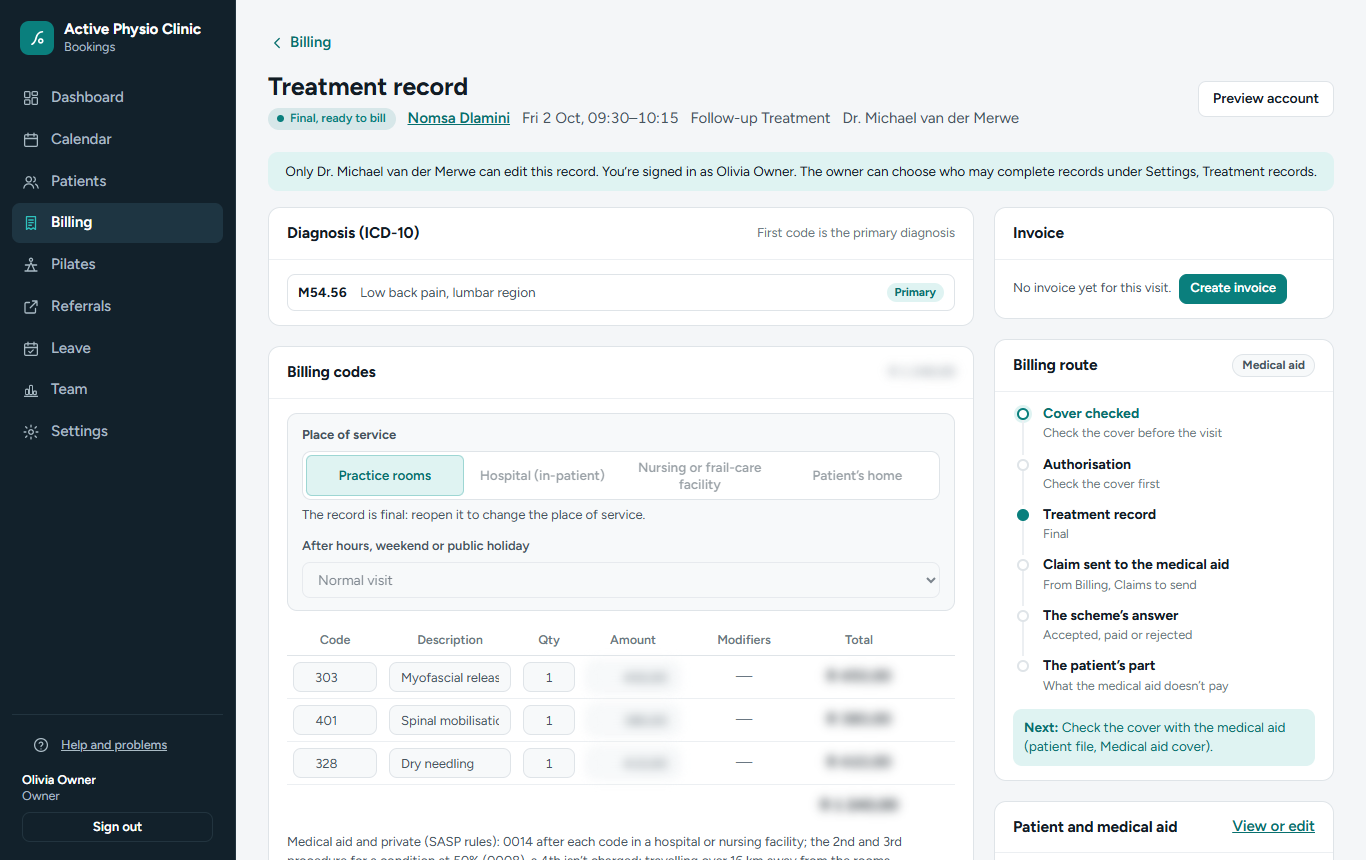
BetterDesk follows every visit from the moment it is booked until the medical aid and the patient have paid, with the codes checked on the way, so fewer accounts come back.
How a visit is paid
- Who pays, at booking
The medical aid, the patient, a family’s main member or the Compensation Fund. BetterDesk shows who pays and why, before the patient arrives.
- Benefits and authorisations
Cover checks are recorded with the benefit and sessions left. Conditions that need an authorisation are flagged, with the authorisation number kept on the record.
- The treatment record
ICD-10 diagnosis codes with their rules (an injury needs its external cause), your profession’s tariff codes for the year, and the modifiers for hospital, home visits and after hours.
- The claim
Finished visits become claims. Before anything goes, BetterDesk lists what is missing: member number, dependant code, date of birth, practice and practitioner numbers. Every change to a claim is logged.
- Remittances
Import the scheme’s remittance. Each line is matched to its claim and to the deposit on your bank statement, and a shortfall moves to the patient’s account.
- Statements
Monthly statements by email for what the patient owes, with payments recorded as they come in. The day sheet downloads in Excel.
Also included
One account for a main member and dependants, with each person’s own file number.
Invoices with your own prices and payments at the desk. Patients on a medical aid never see amounts meant for the scheme.
Each profession’s scheme tariff list for the year, and the Compensation Fund’s gazette codes.
The Owed list shows every account that is still open.
Patient, injury-on-duty and class invoices can each show their own bank account.
Separate cases, reports and invoices for the Compensation Fund. More.
Direct claims are being set up. BetterDesk is preparing direct connections with the medical scheme administrators for claims and live benefit checks. Until those are live, claims go out as a claims file from BetterDesk, and remittances are imported.
Bill with fewer returns
We bring your patient list and medical aid details across from your current system.